
PhotoBoost
AI real estate retouching — magazine-grade, true to the shot.
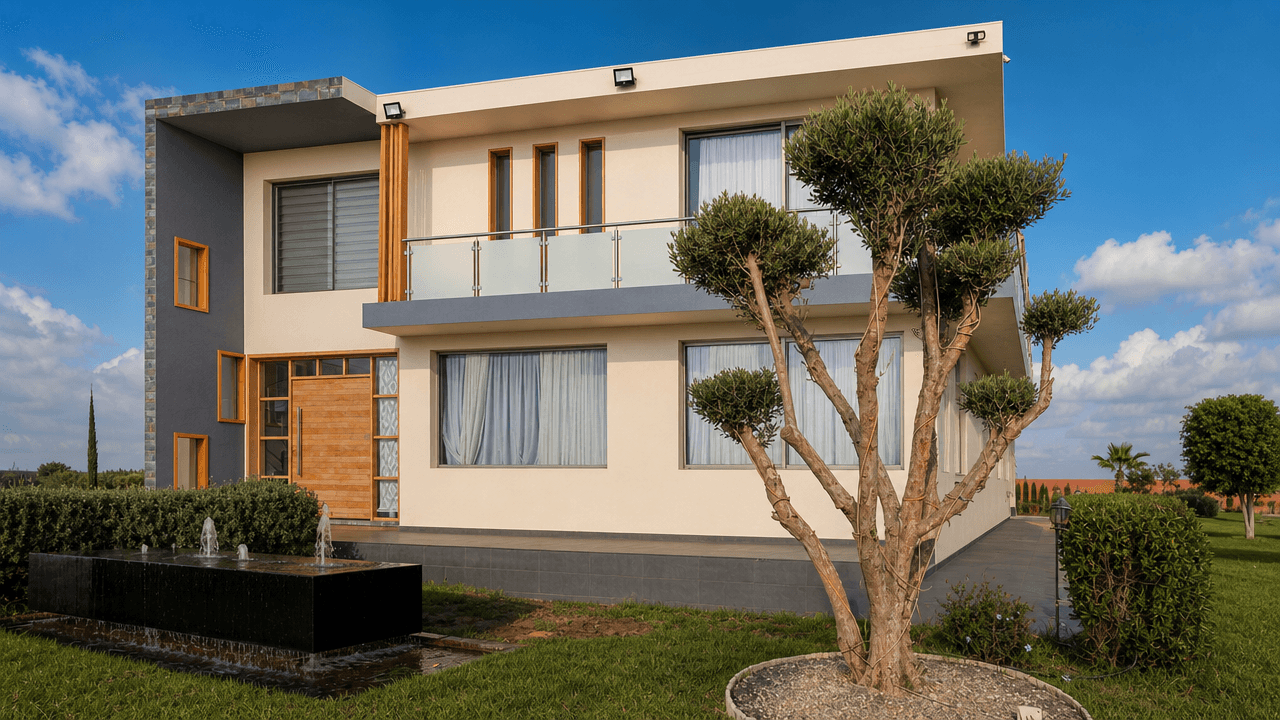
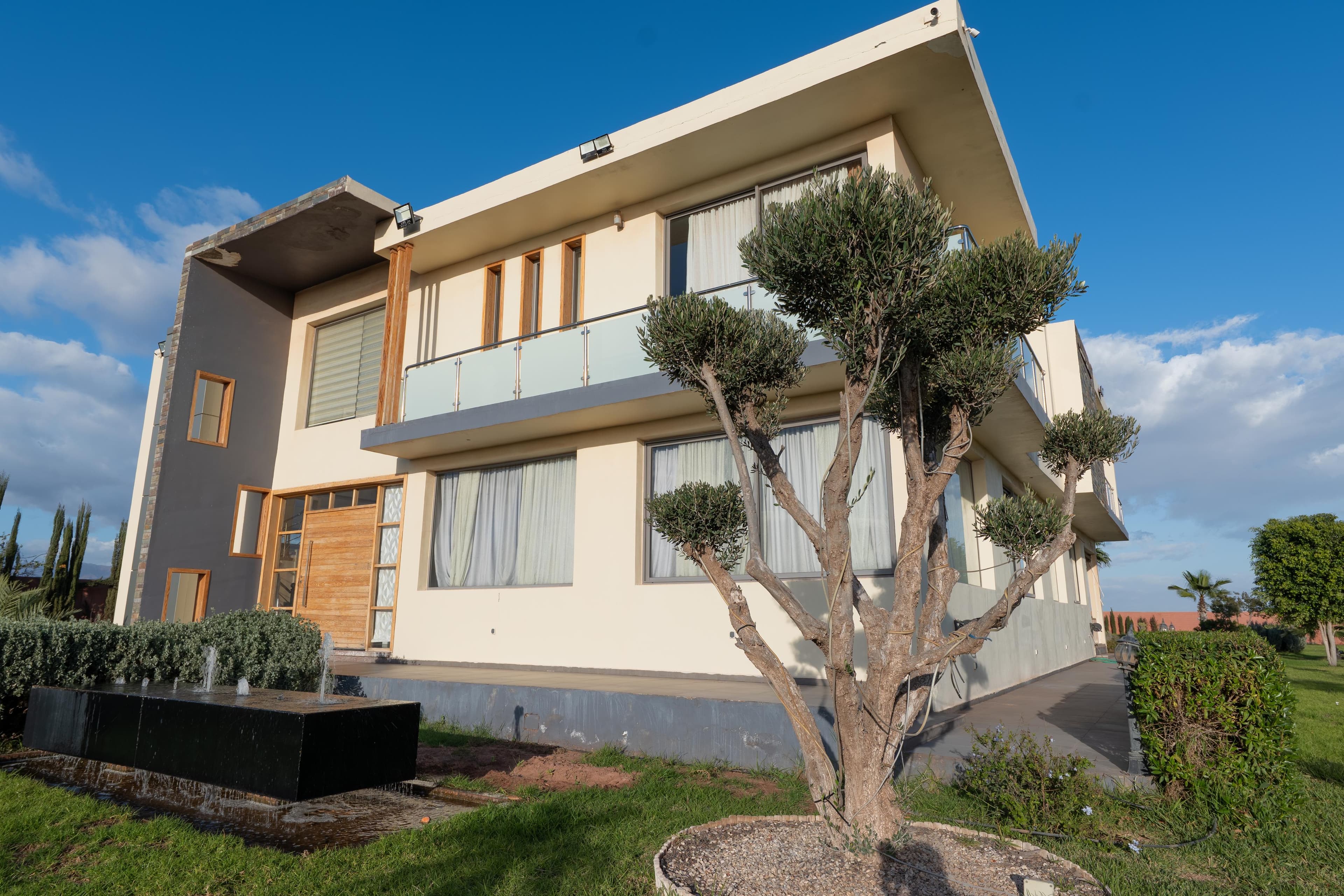
Perspective corrected, walls repaired, decluttered, sky replaced, lawn greened, HDR balanced — six edits applied in a single pass. Without touching the angle, the framing, the windows, or the fixtures.
Book a discovery callThe problem
Listings with pro photos get 3× more clicks. A photographer costs €300–800 per property.
Leaning walls, gray sky, everyday clutter, blown-out windows, tired lawn. Your smartphone photos make a beautiful apartment look worse than it is. PhotoBoost fixes all of that automatically — without changing the shot: same angle, same windows, same fixtures. This is retouching, not heavy-handed Photoshop.
How it works
4 steps, from upload to delivery.
Upload + pick edits
Drop 1 photo or 50. Check the edits you want (perspective, walls, declutter, sky, lawn, HDR), pick the mood (original light, golden hour, twilight, luxury editorial…), and add freeform instructions if you need to: 'remove the red car', 'mask the construction crane'.
Edits stacked in one pass
Six edits applied in the right photographic order, in a single pass: perspective correction (tilt-shift effect), wall repair (cracks, paint, marks), declutter, sky replacement, lawn greening, HDR balancing (windows and shadow zones).
Architectural fidelity
This isn't AI staging — it's surgical retouching. The AI keeps everything exactly as shot: angle, framing, focal length, the view through each window, every fixture, the room's geometry. Architect-grade color science — no oversaturation, no cartoon look.
Drive delivery
Originals and retouched versions delivered side by side, numbered, in a structured Drive folder. Full HD 1920×1088 (16:9), ready for Mubawab, Houzez, Sarouty, and any other portal. Instant Telegram notification.
Demo
Drag to see the difference.
What's included
You walk away with a complete system, not a prototype.
- Architectural fidelity guaranteed — angle, windows, fixtures untouched
- Six edits in one coherent pass — no seams, no AI artifacts
- Six moods (original light, twilight, golden hour, luxury editorial…)
- Originals kept side by side with the retouched versions
- Batch 1 to 50 photos · Full HD 1920×1088, ready for any portal
- n8n workflow delivered and configured + training + 30-day support
FAQ
Questions about PhotoBoost.
Is this retouching or AI staging?+
Surgical retouching. The AI does NOT generate new furniture or new architecture. It keeps the shot angle, windows, fixtures, and room geometry exactly as they are. Only the problem surfaces change (damaged walls, clutter, gray sky, unbalanced light). For AI furniture, see Staging IA.
Which mood should I pick?+
Six options: original light kept as-is, warm day, twilight (interior lit at dusk), golden hour (late afternoon), bright morning, or luxury editorial (Architectural Digest / Sotheby's style). Pick whichever fits the listing best.
What if I want to retouch something specific?+
There's a freeform instructions field — 'remove the red car in the driveway', 'mask the construction crane', 'soften the shadow on the left wall'. The AI bundles these with the edits you've checked, all in the same pass.
What output formats do I get?+
Three options: HD 1280×720, Economy 1024×576, or Full HD 1920×1088 — all in 16:9, the standard for real estate portals (Mubawab, Houzez, Sarouty, SeLoger). You choose per photo or per batch.
How many photos per batch?+
No hard limit. 1 photo or 50, same workflow. The pipeline processes each photo individually, then delivers everything in a structured Drive — originals and retouches numbered side by side.
What about videos?+
PhotoBoost only handles still images. For before/after videos, see the Before/After Video automation.
Ready to put PhotoBoost to work in your agency?
A 30-minute call to make sure it's the right fit. No commitment.
Book a discovery call- No commitment
- You keep ownership
- GDPR friendly